


Interactive emails transform traditional static messages into engaging, actionable experiences using AMP components, carousels, surveys, and dynamic content. They boost click-through rates, enable personalization, provide rich analytics, and enhance user engagement, making email marketing more effective and measurable.
In today’s crowded inboxes, standard static emails often fail to capture subscribers’ attention. Interactive emails represent the next frontier in email marketing, blending real-time elements like AMP components, embedded surveys, and dynamic content to create engaging, conversion-driving experiences. This comprehensive guide will explore what interactive emails are, their benefits, how to implement them, and best practices to maximize impact.
What Are Interactive Emails?
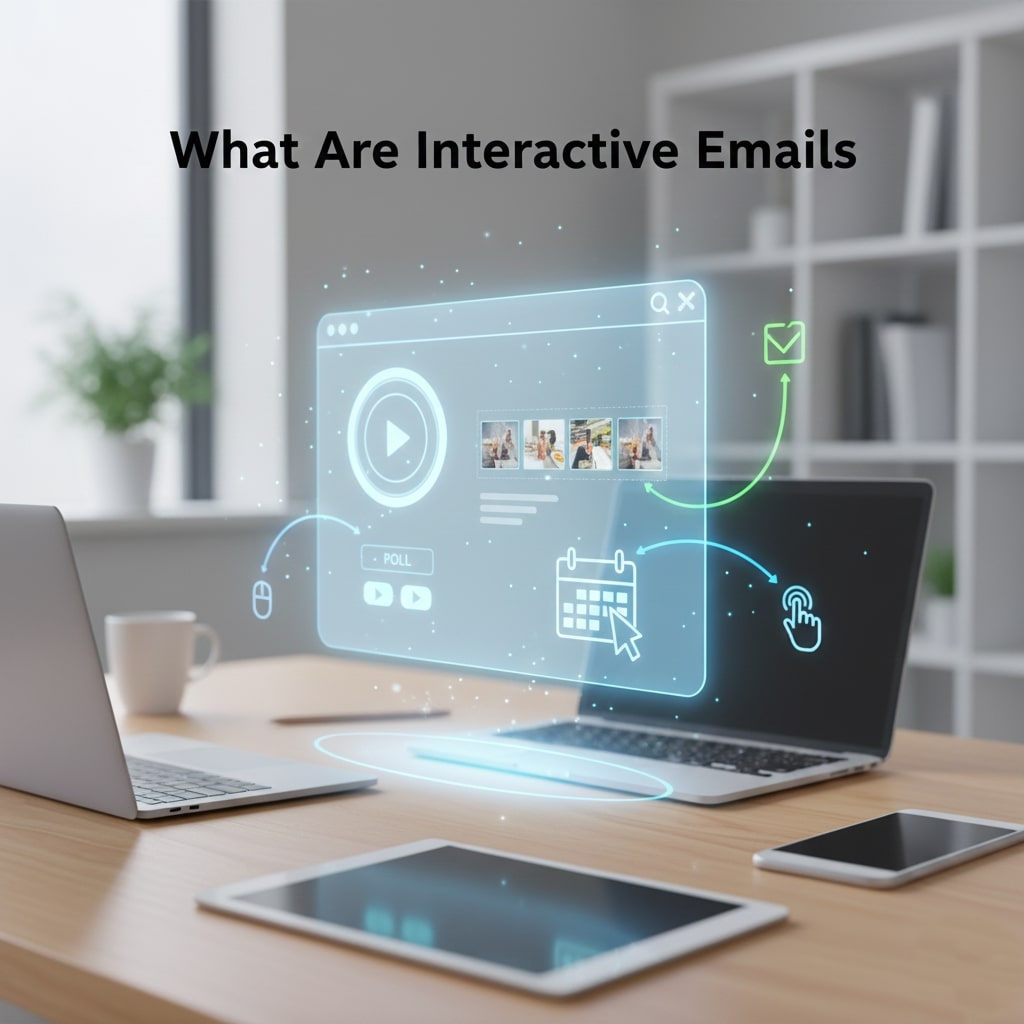
Interactive emails go beyond static text and images. They allow recipients to take action directly within the email without clicking out to a landing page. Common interactive features include:
- AMP Components: Accelerated Mobile Pages (AMP) for email enable carousels, accordions, live forms, and dynamic data feeds.
- Embedded Surveys & Polls: Collect feedback in-line, increasing response rates by reducing friction.
- Image Carousels: Showcase multiple products or features in a single email slot.
- Accordion Menus: Organize long-form content so subscribers can expand sections they care about.
Why Interactive Emails Matter
Research shows that interactive elements can boost click-through rates by up to 300%. Here’s why they work:
- Instant Engagement: Recipients interact directly, creating a sense of involvement.
- Reduced Friction: Actions like form fills or surveys happen in email, eliminating extra steps.
- Personalization Opportunities: Dynamic data can tailor content on the fly based on user behavior or preferences.
- Better Analytics: You can track in-email interactions for richer behavioral insights.
Key Interactive Elements & Their Use Cases
AMP Components
AMP for email enables advanced functionality within major clients like Gmail & Yahoo. Typical AMP modules include:
- amp-carousel: Rotate product images or testimonials.
- amp-accordion: Organize product FAQs or step-by-step guides.
- amp-form: Let users submit RSVPs, surveys, or subscription updates in-line.
Understanding Email Interactivity
Email interactivity transforms a traditional one-way message into a dynamic experience. Instead of simply reading content, recipients can engage with forms, carousels, and expandable menus directly in their inbox. This hands-on interaction increases attention, drives action, and makes the email feel more like an application than a static message. Mastering interactivity allows marketers to create emails that not only convey information but also encourage immediate engagement and measurable responses.
Types of Interactive Content
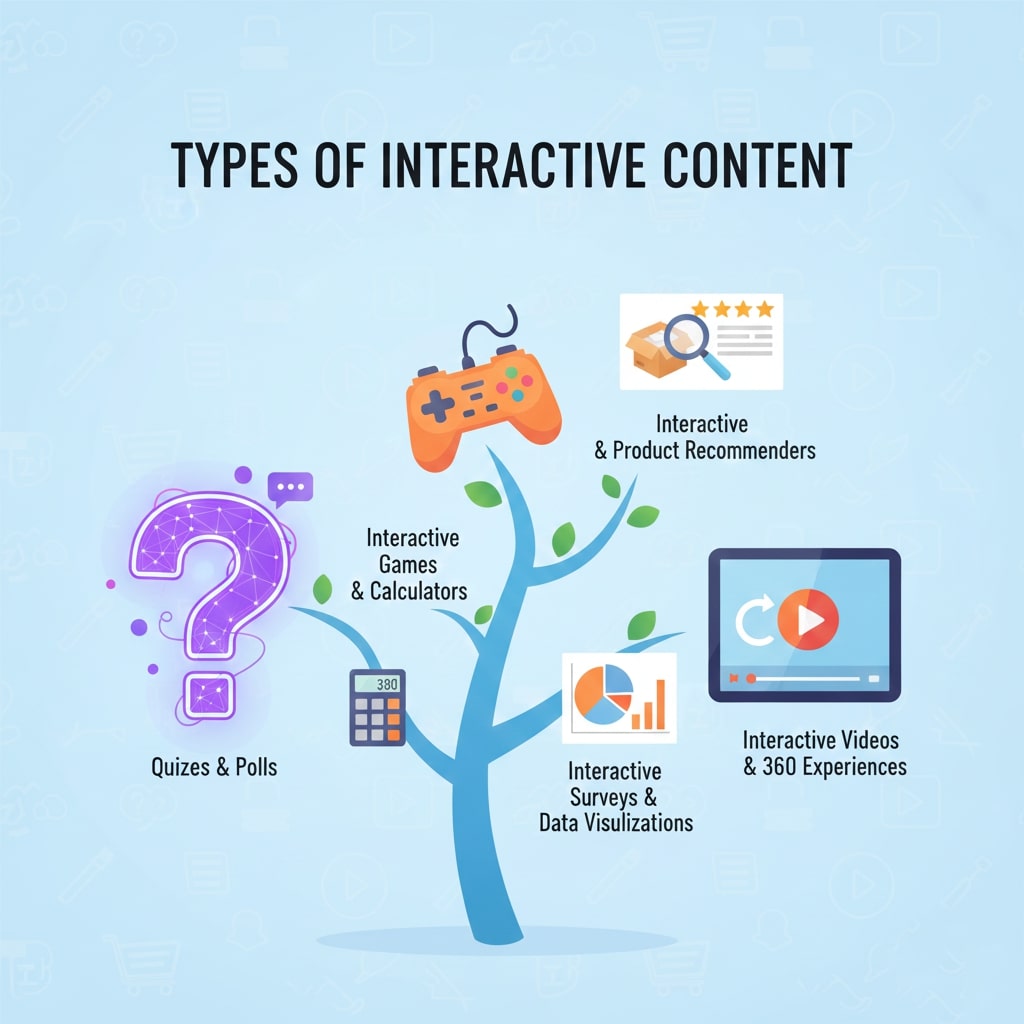
Interactive emails can include a wide variety of elements, each designed to enhance user engagement. AMP components enable dynamic features such as carousels, accordions, and in-line forms. Embedded surveys and polls allow recipients to provide feedback instantly, improving response rates. Image carousels showcase multiple products or promotions in a limited space, while accordion menus let users expand content they care about. Selecting the right interactive element depends on campaign goals, ensuring that each feature contributes meaningfully to user experience.
Benefits of Interactive Emails
Interactive emails drive significant advantages over traditional static messages. They increase engagement by encouraging direct action, boost click-through rates, and improve conversions. By reducing friction—allowing tasks like RSVPs, surveys, or purchases to be completed within the email—recipients are more likely to respond. Interactive content also supports personalization by dynamically adjusting content based on user behavior. Additionally, detailed analytics from in-email interactions provide insights into preferences and engagement, enabling smarter marketing decisions.
Planning an Interactive Email Campaign

Careful planning is essential to create successful interactive campaigns. Start by defining your goals, audience, and desired outcomes. Determine which interactive elements align with these objectives, and design the flow of user interactions. Consider compatibility with email clients and mobile devices, and plan fallback content for unsupported clients. Mapping out user journeys and content interactions in advance ensures that emails function as intended, providing both a smooth experience for recipients and measurable results for marketers.
Technical Requirements and Compatibility
Implementing interactive emails requires attention to technical specifications. Not all email clients support AMP or advanced interactivity, so fallback HTML is essential. Registration with Google’s AMP whitelist is necessary to send AMP-enabled emails. Developers must also validate HTML, ensure mobile responsiveness, optimize load times, and account for accessibility standards. Addressing these requirements early prevents broken features, enhances deliverability, and ensures that emails render correctly across platforms and devices.
Designing for User Engagement
Design is a key factor in encouraging interactions. A clear, visually appealing layout guides users toward the primary call to action. Interactive elements should be intuitive and responsive, adapting to various screen sizes. Accessibility considerations, such as alt text for images and proper color contrast, make interactions inclusive for all users. Limiting the number of interactive elements per email prevents overwhelm and keeps the user focused. A well-crafted design ensures that recipients can engage effortlessly, improving overall campaign effectiveness.
Testing and Quality Assurance
Testing is critical for interactive emails because these elements rely on complex coding and client compatibility. Test emails across multiple platforms, devices, and browsers to verify functionality. Assess load times, responsiveness, and interaction behavior. Manually check fallback content for non-AMP clients. Rigorous testing not only prevents errors but also provides insight into user behavior, enabling adjustments that enhance engagement, improve usability, and ensure a consistent, high-quality experience for all recipients.
Tracking Performance and Analytics

Measuring success for interactive emails goes beyond open and click-through rates. Track specific in-email actions, such as carousel clicks, accordion expansions, form submissions, and survey responses. Analyze time spent interacting with content to understand engagement depth. Compare conversion metrics against static campaigns to determine the impact of interactivity. Detailed analytics allow marketers to optimize future campaigns, refine personalization, and identify which interactive elements resonate most with their audience, providing actionable insights for continuous improvement.
Common Mistakes to Avoid
Even experienced marketers can fall into pitfalls when creating interactive emails. Overloading emails with too many interactive widgets can overwhelm recipients and reduce engagement. Neglecting fallback content for clients that don’t support AMP leads to broken experiences. Ignoring accessibility or mobile optimization can frustrate users and hurt campaign effectiveness. Skipping rigorous testing may result in errors going live. Avoiding these mistakes ensures your interactive emails function properly, deliver value, and maintain brand credibility while maximizing user engagement.
Best Practices for Scaling Interactive Emails
Once you’ve mastered the basics, scaling interactive emails requires strategic planning and consistent execution. Focus on reusable templates for efficiency, maintain clear design guidelines, and prioritize high-impact interactive features. Regularly analyze engagement data to refine content and layout. Collaborate with developers, designers, and marketers to ensure technical feasibility and creative excellence. By combining iterative testing with ongoing optimization, you can expand the use of interactive elements across campaigns while maintaining performance, engagement, and a seamless user experience.
Personalization Strategies for Interactive Emails
Personalization is key to making interactive emails truly effective. By leveraging user data such as past purchases, browsing behavior, or engagement history, you can tailor content that feels relevant and timely. Dynamic elements like personalized carousels, pre-filled forms, or custom recommendations can significantly enhance user experience. Implementing behavioral triggers ensures that emails are sent at the optimal moment, increasing open rates and conversions. Thoughtful personalization not only boosts engagement but also builds trust and strengthens the relationship between your brand and subscribers, turning casual recipients into loyal customers.
Surveys & Polls
Embedded surveys let you gather customer feedback on preferences, satisfaction, or product ideas without redirecting them. Quick poll questions with radio buttons or star ratings yield high completion rates.
Image Carousels
Carousels maximize limited email real estate by cycling through multiple promotions or product categories, driving interaction and clicks for top items.
How to Implement AMP Emails
Getting started with AMP for email involves several steps:
- Choose a Compatible ESP: Platforms like Mailchimp, SparkPost, and Braze support AMP modules.
- Set Up Developer Whitelist: Google requires senders to register and get permission to send AMP emails.
- Validate Your HTML: Use the AMP validator to ensure syntax compliance.
- Fallback Content: Provide plain HTML alternatives for clients that don’t support AMP.
- Test Extensively: Check rendering in Gmail, Yahoo Mail, and various mobile apps.
Best Practices for Interactive Email Design
- Keep It Load-Optimized: Limit CSS and image sizes to ensure fast load times.
- Guide the User: Use clear calls to action. Label buttons like “Vote Now” or “Browse Gallery.”
- Mobile-First: Ensure touch targets are large enough and UI components rearrange gracefully on small screens.
- Accessibility: Provide alt attributes for images and ensure contrast ratios meet WCAG guidelines.
- Single Focus: Avoid overcrowding the email with too many interactive widgets—prioritize 1–2 high-impact elements.
Top Tools & Platforms
Many ESPs and coding frameworks ease interactive email creation:
- Google AMP Playground: Sandbox environment to prototype AMP components.
- Mailchimp’s Interactive Campaigns: Built-in AMP templates and modules.
- Litmus Builder: Live code editing and testing for AMP and fallback HTML.
- Stripo: Drag-and-drop AMP components paired with static HTML fallback.
Measuring Interactive Email Success
Beyond open and click rates, track these metrics:
- In-Email Actions: Number of clicks on carousels, accordion expand events, or survey submissions.
- Time Spent: Duration recipients interact with your email elements.
- Conversion Lift: Compare conversion rates of interactive vs. static email segments.
Common Pitfalls & How to Avoid Them
- Overloading Features: Too many widgets can confuse users—focus on a single goal.
- Neglecting Fallbacks: Always include a functional HTML fallback for non-AMP clients.
- Ignoring Deliverability: AMP registration is critical; unregistered senders risk landing in spam.
Future Trends in Interactive Email Marketing
The horizon of email innovation includes:
- AI-Driven Personalization: Real-time content adjustments based on user behavior and preferences.
- Shopping Within Email: Full cart checkouts and product browsing without leaving the inbox.
- Web3 & Blockchain: Verifiable digital asset drops and secure identity verification inside emails.
Conclusion
Interactive emails are no longer a futuristic concept—they’re here and reshaping how brands engage users. By leveraging AMP components, embedded surveys, and dynamic content, marketers can drive higher engagement, deeper insights, and better conversions. Start small with one or two interactive features, rigorously test and measure performance, and expand your strategy as you gain confidence. The inbox of tomorrow belongs to those who dare to innovate today.
Interactive Email Marketing FAQ
1. What are interactive emails?
Interactive emails go beyond static content by allowing recipients to engage directly within the email. They often include elements like AMP components, embedded surveys, image carousels, and accordion menus, enabling actions such as form submissions, content expansion, or browsing without leaving the inbox.
2. How do interactive emails differ from traditional emails?
Unlike static emails that rely on clicks to external pages, interactive emails embed functionality within the message itself. This reduces friction, increases engagement, and provides richer behavioral insights by tracking interactions directly in the email.
3. What are the key benefits of interactive emails?
Interactive emails boost engagement, increase click-through rates, and improve conversion by making interactions seamless. They also allow personalized content delivery, instant feedback collection, and more detailed analytics for marketers.
4. Which interactive elements are most commonly used?
Popular elements include AMP components such as carousels, accordions, and forms. Embedded surveys or polls, image carousels for multiple product showcases, and expandable menus for long-form content are also widely used.
5. How do I implement AMP emails?
To implement AMP emails, choose a compatible ESP (like Mailchimp or Braze), register for AMP permissions with Google, validate your HTML with the AMP validator, provide a fallback HTML version for unsupported clients, and test across Gmail, Yahoo Mail, and mobile apps.
6. What are the best practices for interactive email design?
Focus on mobile-first, optimized loading speeds, clear calls to action, accessibility standards, and maintaining a single primary goal per email. Avoid overcrowding with too many interactive features and always include a fallback for non-AMP clients.
7. Which tools can help create interactive emails?
Tools and platforms include Google AMP Playground for prototyping, Mailchimp’s interactive templates, Litmus Builder for live coding and testing, and Stripo for drag-and-drop AMP components paired with HTML fallback.
8. How do I measure the success of interactive emails?
Track in-email actions such as clicks, accordion expansions, or survey submissions. Monitor engagement time, compare conversion rates against static email campaigns, and analyze click-through performance to optimize future campaigns.
9. What common pitfalls should I avoid?
Avoid overloading emails with too many interactive widgets, neglecting fallback content for non-AMP clients, and skipping AMP registration, which can negatively affect deliverability.
10. What does the future hold for interactive emails?
Future trends include AI-driven real-time personalization, shopping entirely within emails, and blockchain-based functionalities like secure digital asset verification. Brands adopting these innovations early can gain a competitive advantage in user engagement.


I'm Email Campaign Manager who helps businesses design, execute, and optimize effective email marketing campaigns. With expertise in audience segmentation, campaign automation, and performance tracking, ensures emails reach the right audience and deliver measurable results.
















No Comments