

You have a growing list of subscribers, but reaching out to each one manually is impossible. Every missed follow-up or delayed onboarding message means lost revenue and disconnected customers. Managing a growing database requires a system that works around the clock, delivering the right message to the right person at the exact right moment.
That is where email workflow automation comes in. By setting up intelligent systems, you can nurture leads, welcome new users, and re-engage dormant customers without pressing “send” on every individual message. It takes the heavy lifting out of your marketing strategy, freeing up your team to focus on high-level growth initiatives.
Understanding how to leverage email workflow automation will completely transform your marketing funnel. A well-designed workflow builds trust with your audience through consistent, timely communication. It ensures that no lead falls through the cracks and every customer feels valued.
In this comprehensive guide, we will explore the essential tools, strategies, and best practices to help you succeed. You will learn how to design automated email marketing workflows, discover the best email workflow automation software, and see how AI is shaping the future of inbox communication.
Driving Business Growth with Email Automation
Scaling a business requires efficiency. Email automation for business growth allows companies to communicate with thousands of prospects as if they were speaking to them individually. When you automate repetitive tasks, you dramatically reduce overhead costs while increasing conversion rates.
A well-oiled automation strategy moves prospects smoothly through your sales funnel. When a user downloads a lead magnet, the system immediately tags them and triggers a tailored sequence. This constant, relevant contact keeps your brand top-of-mind. It pushes leads toward a purchasing decision using educational content, social proof, and timely offers. By delivering consistent value, email workflow automation directly boosts your bottom line.
Top Email Workflow Automation Software and Tools
Choosing the right platform is critical to your success. Email workflow automation tools range from simple autoresponders to complex, multi-channel marketing hubs. The best choice depends on your company’s size, budget, and technical expertise.
Some of the most popular email workflow automation software includes platforms like HubSpot, ActiveCampaign, and Mailchimp. HubSpot offers a robust CRM integration, making it ideal for large sales teams. ActiveCampaign excels at granular logic and behavioral triggers, allowing marketers to build highly specific customer journeys. Mailchimp remains a favorite for small businesses due to its user-friendly interface and pre-built templates. When evaluating these tools, look for features like visual workflow builders, A/B testing capabilities, and deep integrations with your existing tech stack.
Setting Up Automated Email Marketing Workflows
Building effective automated email marketing workflows requires a clear understanding of your customer journey. You must map out the exact steps a user takes from their first interaction with your brand to their final purchase.
Start by focusing on how to build high-quality email lists, since list quality directly impacts workflow performance. Once your list is structured, define triggers like signups, downloads, or purchases.
Start by defining the trigger. A trigger is the specific action that enrolls a user in your workflow. This could be subscribing to a newsletter, abandoning a shopping cart, or attending a webinar. Once the trigger is set, map out the sequence of messages and the time delays between them.
Email Drip Campaign Automation Setup
An email drip campaign automation setup involves sending a series of pre-written messages over a specific period. The goal is to gradually educate and nurture the prospect.
To set this up, create your content first. Ensure each email provides distinct value and naturally leads to the next. Configure your software to send the first email immediately after the trigger event. Set logical delays—such as two days or a week—between subsequent emails. Use conditional logic to remove users from the drip campaign once they take the desired action, such as making a purchase, so they do not receive irrelevant pitches.
Customer Onboarding Email Automation
First impressions matter. Customer onboarding email automation ensures that new users understand how to get the most out of your product or service.
Timing is crucial here. Studies on best email sending times show that early engagement significantly improves retention rates. A strong onboarding flow reduces churn and increases long-term satisfaction.
An effective onboarding workflow starts with a warm welcome and login instructions. The following emails should highlight key features, offer helpful tutorials, and provide customer support resources. By proactively answering common questions and guiding users through the initial setup, you reduce churn and build long-term loyalty.
Marketing Email Automation Strategies
A successful automation strategy goes beyond just sending messages on a schedule. You need to incorporate advanced marketing email automation strategies to maximize engagement and conversions. Personalization and segmentation are the cornerstones of this approach. Instead of sending generic blasts, group your subscribers based on their behavior, demographics, and past purchases.
Email Sequence Automation Best Practices
To get the most out of your campaigns, follow these email sequence automation best practices:
Focus on a single goal per email. Do not overwhelm your readers with multiple calls to action.
Write compelling subject lines that create curiosity or urgency.
Keep your copy concise and scannable.
Always test your workflows internally before launching them to your audience.
Clean your email list regularly to maintain high deliverability rates.
Keep emails focused, concise, and goal-oriented. Avoid overloading users with too many actions in a single message. Always ensure compliance with regulations like the CAN-SPAM Act email marketing guidelines, which help protect your brand and maintain deliverability.
Email Workflow Optimization Techniques
Even the best workflows require maintenance. Employing email workflow optimization techniques ensures your campaigns remain effective over time.
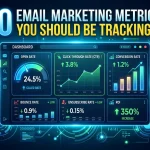
Regularly review your key performance indicators, such as open rates, click-through rates, and conversion rates. Identify bottlenecks where subscribers are dropping off. Use A/B testing to experiment with different subject lines, send times, and email copy. By continuously analyzing the data and making incremental improvements, you can significantly enhance the overall performance of your automated sequences.
The Future: AI-Powered Email Workflow Automation Systems
The landscape of marketing technology is shifting rapidly. AI-powered email workflow automation systems are making it easier than ever to deliver hyper-personalized experiences.
Artificial intelligence can analyze massive amounts of customer data to predict the optimal time to send an email to each specific user. Generative AI tools can even draft email copy, suggest subject lines, and automatically generate relevant images. Furthermore, AI algorithms can dynamically adjust the path a user takes through a workflow based on their real-time interactions, ensuring the most relevant content is always delivered. Embracing these advanced systems will give your business a significant competitive advantage in the coming years.
Lead Scoring and Behavioral Tracking in Email Automation
Lead scoring is a powerful enhancement to email workflow automation that helps businesses prioritize high-quality prospects. Instead of treating all subscribers equally, lead scoring assigns values based on user actions such as email opens, link clicks, website visits, and content downloads.
By integrating behavioral tracking, you can automatically identify which leads are “hot” and ready for sales outreach versus those who need further nurturing. For example, a user who repeatedly clicks pricing pages can be flagged as high intent and moved into a conversion-focused workflow.
This approach ensures your sales and marketing teams focus their energy on the most valuable opportunities, increasing efficiency and conversion rates significantly.
Personalization at Scale Using Dynamic Content
Modern email workflow automation goes beyond just inserting a first name. With dynamic content, you can tailor entire sections of an email based on user behavior, preferences, or demographics.
For instance, an e-commerce brand can show different product recommendations to users based on their browsing history. A SaaS company can display different feature highlights depending on the user’s subscription plan or industry.
This level of personalization increases engagement, improves click-through rates, and builds stronger customer relationships—without requiring manual email creation for each segment.
Cart Recovery and Revenue Reclamation Workflows
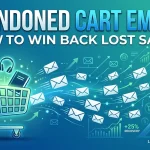
Abandoned cart recovery is one of the highest-performing automation strategies in email marketing. A large percentage of online shoppers add products to their cart but leave before completing the purchase due to distractions, hesitation, or comparison shopping.
Email workflow automation helps recover this lost revenue through timely and structured follow-ups. A typical cart recovery sequence includes multiple stages:
First, a reminder email is sent within a short time frame, usually 1–3 hours after abandonment. This email gently reminds the user about the items left behind.
Next, a second email may include product benefits, customer reviews, or answers to common objections. This helps reduce hesitation and builds trust.
Finally, a third email can introduce urgency, such as limited stock warnings or a small discount incentive to encourage completion of the purchase.
When executed properly, cart recovery workflows can significantly increase conversion rates and recover a large percentage of otherwise lost sales.
Frequently Asked Questions
What is email workflow automation?
Email workflow automation is the process of using software to send targeted, timed emails to subscribers based on specific triggers or behaviors, eliminating the need for manual sending.
Why is email workflow automation important?
It saves time, ensures consistent communication, nurtures leads automatically, and helps businesses scale their marketing efforts without requiring additional staff.
What are the best email workflow automation tools?
Popular tools include ActiveCampaign, HubSpot, Mailchimp, Klaviyo, and ConvertKit. The best tool depends on your specific business needs and budget.
How do I start an automated email marketing workflow?
Start by defining your goal, identifying the trigger event (like a form submission), writing the email content, and setting up the sequence in your chosen automation software.
What is an email drip campaign?
A drip campaign is a specific type of automated workflow where a series of pre-written emails are sent out on a predetermined schedule to nurture leads over time.
How long should an automated email sequence be?
The length varies based on the goal. A simple welcome sequence might be 3-5 emails, while a long-term lead nurturing sequence could last for months with dozens of emails.
What is customer onboarding email automation?
It is a sequence of automated emails designed to welcome new customers, educate them on how to use a product or service, and encourage long-term retention.
How do I segment my automated emails?
You segment emails by dividing your subscriber list into smaller groups based on criteria like demographics, purchase history, or engagement levels, allowing for more personalized messaging.
Can email workflow automation increase sales?
Yes. By automatically following up with leads, recovering abandoned carts, and sending personalized recommendations, automation directly contributes to higher conversion rates.
What are AI-powered email workflow automation systems?
These are advanced platforms that use artificial intelligence to optimize send times, personalize content dynamically, and predict customer behavior to improve campaign performance.
What is an automation trigger?
A trigger is the specific user action or data change that starts an automated email workflow, such as subscribing to a list, clicking a link, or reaching a specific date.
How often should I review my automated workflows?
You should review your workflows at least once a quarter to check performance metrics, update outdated content, and optimize the user journey based on new data.
What is A/B testing in email automation?
A/B testing involves sending two slightly different versions of an email (e.g., different subject lines) to a small portion of your audience to see which performs better before sending the winning version to the rest.
How does automation help with abandoned carts?
E-commerce businesses use automation to trigger an email reminder a few hours after a user leaves items in their digital cart, often offering a small discount to encourage completion of the purchase.
Is email workflow automation only for large businesses?
No. Businesses of all sizes benefit from automation. Small businesses often rely on it even more to handle marketing tasks without needing to hire a large team.
Start Automating Your Email Strategy Today
Implementing email workflow automation is one of the highest-leverage activities you can do for your business. It allows you to build stronger relationships with your audience while reclaiming hours of manual work each week.
Start small. Map out a simple welcome sequence or an abandoned cart workflow. Choose a reliable software platform that fits your current needs but offers room to grow. Monitor your results, test different approaches, and gradually expand your automated systems. Before long, you will have a powerful, automated marketing machine working tirelessly to drive your business forward.


I'm Email Marketer who crafts targeted campaigns that drive engagement, nurture leads, and boost conversions. With a passion for creating personalized email strategies.





One reply on “Master Email Workflow Automation for Better ROI”
[…] automated email workflows requires meticulous planning to prevent operational errors that can damage sender reputation and […]