

What is a webinar email campaign and why do you need one?
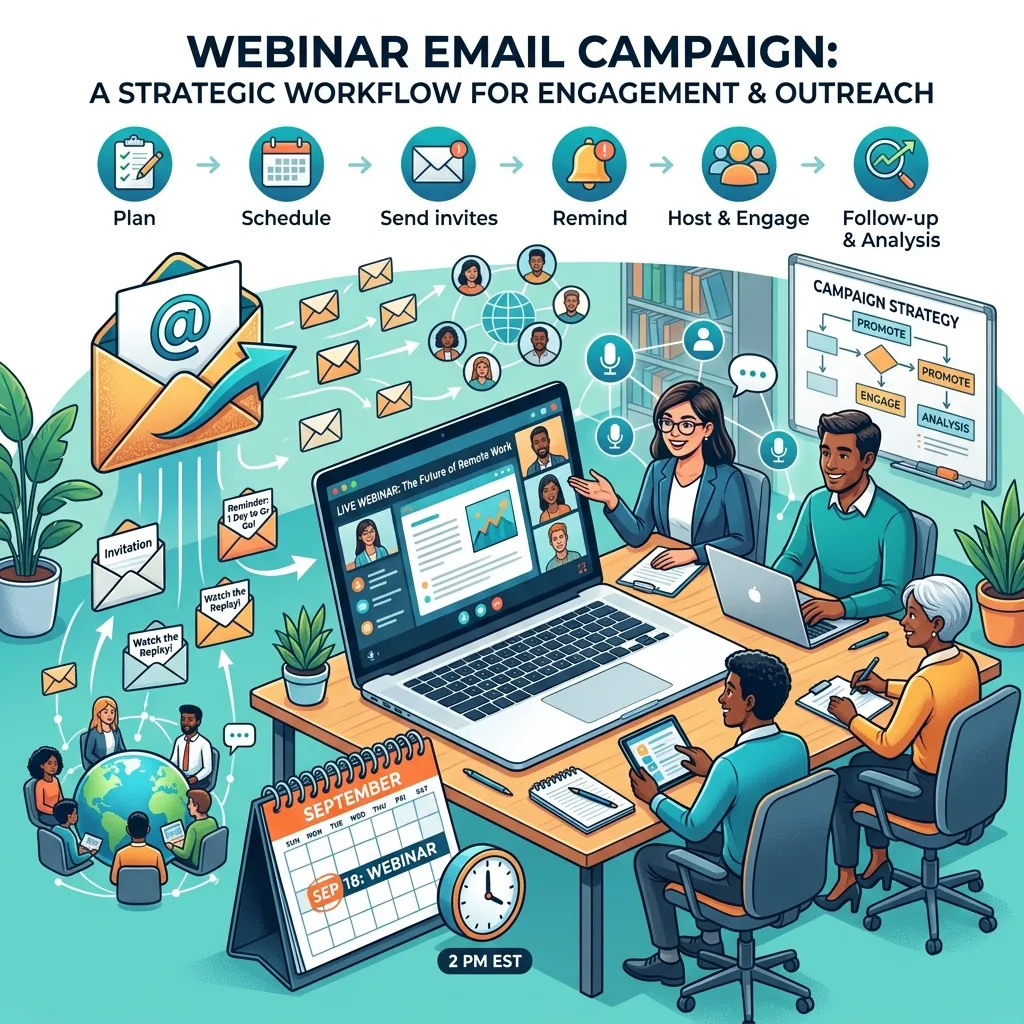
A webinar email campaign is a sequence of targeted messages sent to a specific audience before, during, and after a virtual event. The primary goal of email marketing for webinars is to drive registrations, maximize live attendance, and nurture leads into paying customers.
Relying on social media algorithms or paid advertising alone to promote your webinar introduces unnecessary risk. Organic social reach fluctuates constantly, and paid ad costs continue to rise across major platforms. Email gives you direct, unfiltered access to your audience’s inbox.
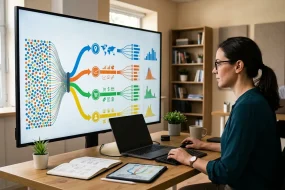
When you build an automated webinar email workflow, you create a scalable system that works in the background. Your email service provider handles the heavy lifting, sending the right message to the right person based on their behavior. If a subscriber registers, they automatically move to the reminder sequence. If they ignore the first invite, they receive a different angle in the second invite. This behavioral segmentation ensures your audience receives relevant information without feeling spammed.
How do you design an automated webinar email workflow?
Setting up an automated webinar email workflow requires mapping out the entire subscriber journey from start to finish. You must configure your email marketing platform to follow principles similar to email marketing automation workflows, ensuring every action triggers the correct follow-up. You must configure your email marketing platform—such as HubSpot, ActiveCampaign, or Mailchimp—to trigger specific messages based on user actions.
First, establish your pre-webinar promotional track. This track targets your general subscriber list and aims to secure sign-ups. Once a user fills out your landing page form, your automation rules must immediately remove them from the promotional track to prevent redundant invitations.
Next, move registered users into the registrant track. This sequence handles the logistical information, delivering the access links and calendar invites. As the event approaches, this track deploys reminder emails to keep the event top-of-mind.
Finally, build the post-webinar track. This sequence triggers after the event concludes and splits into two distinct paths: one for people who attended the live session, and another for people who registered but missed it. Segmenting these groups allows you to tailor your messaging, offering a replay to the absentees and a direct sales pitch or next-step offer to the live attendees.
What should you include in your webinar promotion emails?
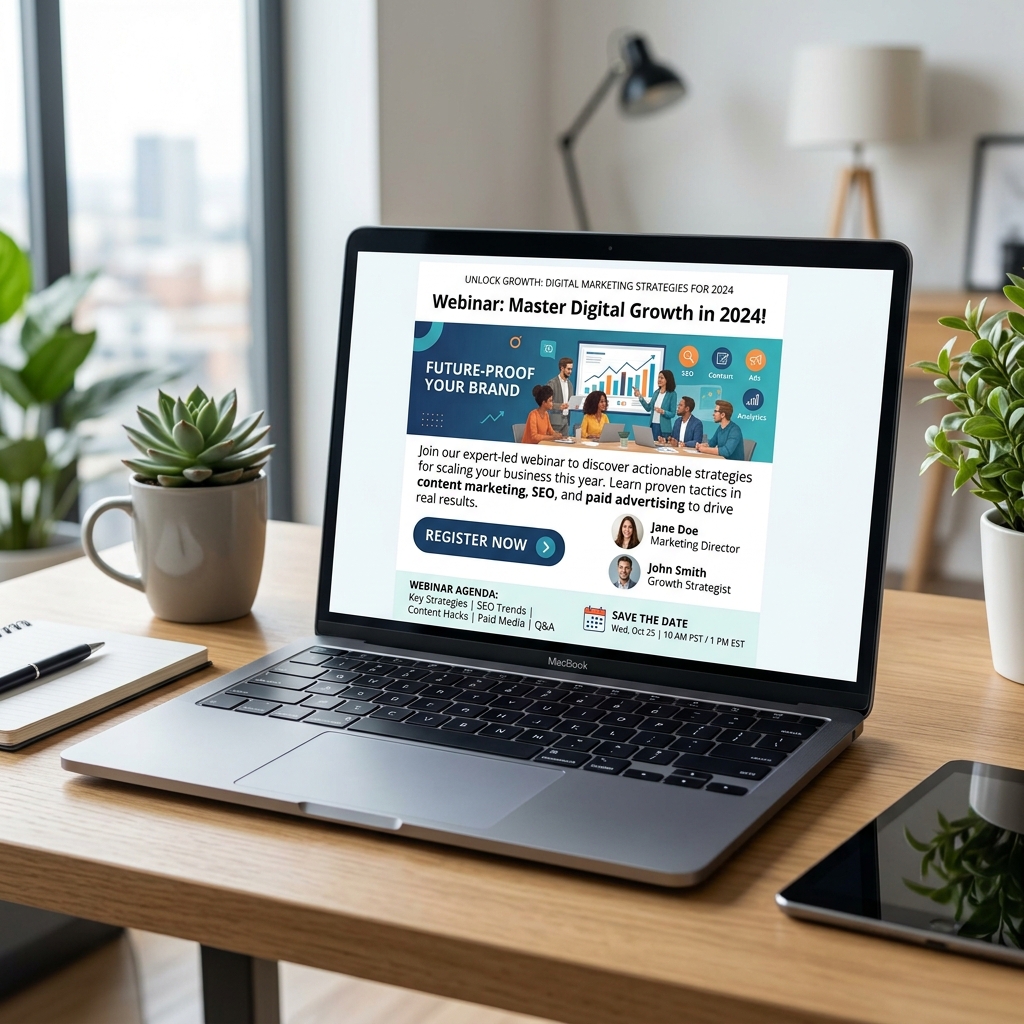
Webinar promotion emails serve as the top of your event funnel. Their sole purpose is to convince subscribers to click through to your landing page and register. To achieve this, your webinar invitation email must clearly articulate the value of attending.
Start with a compelling subject line and align your copy with proven frameworks from high-performing email campaigns that convert. Focus on benefits rather than logistics. Focus on the benefits of the presentation rather than the logistical details. Use clear, self-contained statements that explain exactly what the audience will learn. For example, instead of writing “Join our marketing presentation,” write “Learn how to lower your customer acquisition cost by 20 percent.”
Your invitation body copy should include the following elements:
- The core problem your target audience currently faces.
- The specific solutions or frameworks you will reveal during the event.
- A brief introduction to the speakers, highlighting their credentials and expertise.
- Clear logistical details, including the date, time, and duration of the event.
- A highly visible call-to-action button linking directly to the registration page.
Send your first promotional email roughly two to three weeks before the event. Follow up with a second invitation one week prior, targeting only those who did not open or click the first email. Change the subject line and adjust the copy to focus on a different benefit or angle to capture the interest of different reader segments.
How do you craft the perfect webinar registration email?
The moment a user submits their information on your landing page, they expect immediate confirmation. The webinar registration email serves as an instant receipt, confirming their spot is secure while delivering the critical information they need to join the session.
A strong registration email prioritizes clarity over marketing fluff. Place the event date, start time, and time zone prominently at the top of the message. Follow this immediately with the unique joining link provided by your webinar hosting platform, such as Zoom or GoToWebinar.
Crucially, you must include calendar integration links. Providing “Add to Google Calendar,” “Add to Outlook,” and “Add to Apple Calendar” buttons drastically increases the likelihood of live attendance. When the event lives on an attendee’s calendar, they receive native push notifications on their devices, providing an extra layer of reminders outside of your email sequence.
How can you boost webinar attendee engagement before the event?
Securing a registration is only half the battle. Industry benchmarks show that only 35 to 45 percent of registrants actually attend the live event. To combat this drop-off, you must proactively build webinar attendee engagement in the days leading up to the presentation.
Use your pre-event reminder sequence to deliver value, not just logistical nudges. Three days before the event, send a short email outlining a specific question the presentation will answer. You can also include a link to a brief pre-webinar poll or survey. Asking registrants what they hope to learn helps you tailor the final presentation while making the audience feel involved in the process.
Send a final reminder 24 hours before the start time, and a “Starting Now” email five to ten minutes before you go live. The final email should be extremely brief, featuring a bold, unmistakable link to enter the webinar room. Keep the subject line urgent and clear, such as “We are live! Click here to join the webinar.”
What is the best webinar follow-up email sequence?
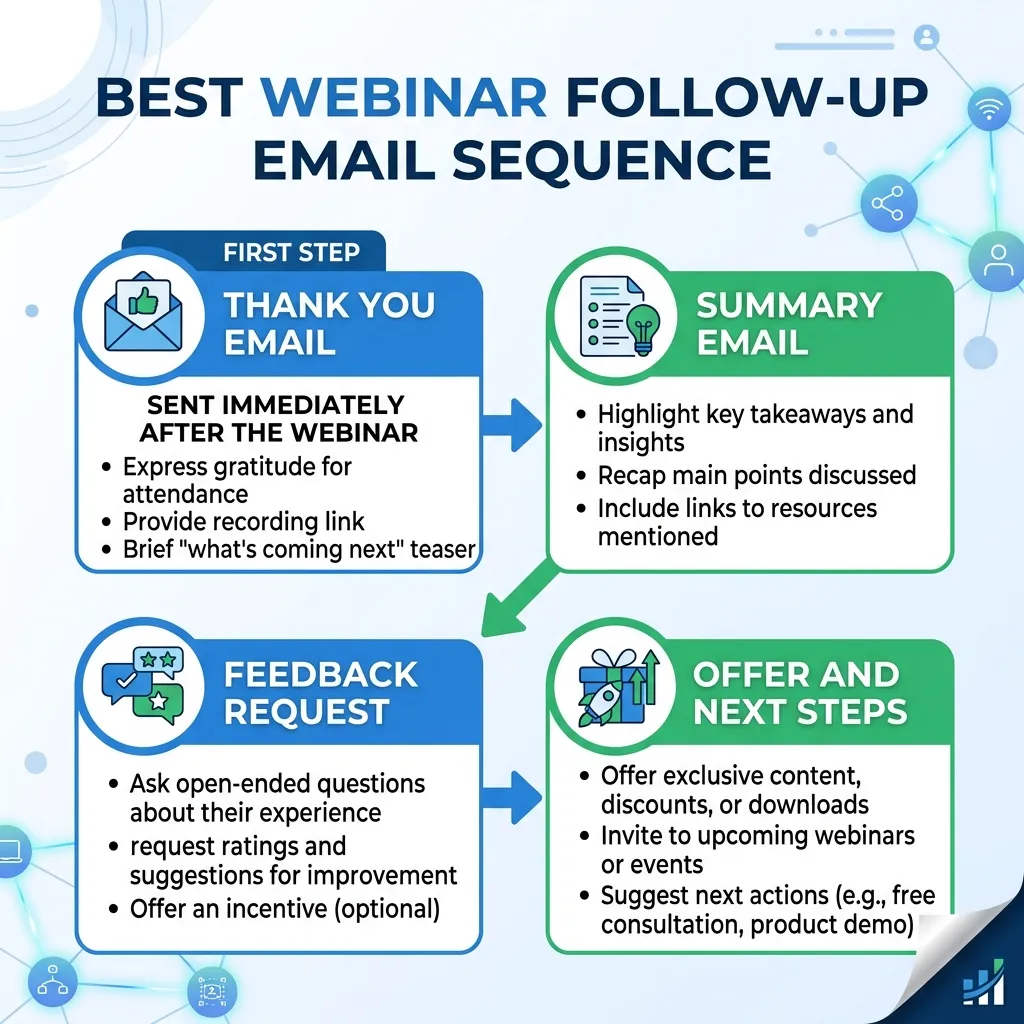
The true return on investment for any virtual event happens in the days following the broadcast. A structured webinar follow-up email sequence capitalizes on the momentum generated during your presentation.
Send your first follow-up email within 24 hours of the event concluding. At this stage, your automation workflow must divide your registrants into two lists: attendees and non-attendees.
For the people who attended live, send a thank-you message that includes a link to the replay video and any slide decks or resources mentioned during the presentation. This is the optimal time to introduce your primary call to action, whether that involves booking a consultation, starting a software trial, or purchasing a course.
For the people who registered but missed the live session, acknowledge their absence without assigning guilt. Provide the replay link prominently. Emphasize that the replay is only available for a limited time to encourage immediate viewing. Wait a few days before sending them the direct sales pitch, giving them a chance to consume the content first.
How do you build a webinar lead nurturing strategy?
Not every attendee will be ready to purchase immediately after the webinar concludes. A long-term webinar lead nurturing strategy ensures you stay connected with these prospects until they reach the buying stage.
Transition your webinar registrants into your standard educational email sequences. Provide supplementary content related to the webinar topic. If your webinar covered advanced search engine optimization tactics, follow up over the next few weeks with case studies, technical guides, and templates related to organic search.
Use lead scoring to track their engagement. Assign points every time a subscriber clicks a link in your nurturing emails or visits your pricing page. When a subscriber’s score crosses a specific threshold, trigger an automated notification to your sales team to reach out directly. This process ensures your sales representatives focus their energy on the warmest, most educated leads.
What are the top tactics for webinar conversion optimization?
Driving registrations and live attendance ultimately serves one goal: generating revenue. Webinar conversion optimization requires presenting a compelling offer and reducing friction in the buying process.
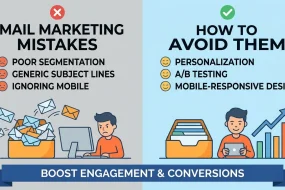
Beyond urgency and social proof, testing different email versions is critical. Using insights from A/B testing email marketing helps refine messaging and maximize performance.
First, ensure your follow-up emails create a sense of urgency. If you offered a special discount or bonus package during the live presentation, attach a strict deadline to it. Send an email 24 hours before the offer expires, clearly stating that the window is closing. Choose a time-based discount if urgency matters more than volume for your specific product launch.
Second, include social proof in your post-webinar emails. Share testimonials from past clients or data points that validate your product’s effectiveness. When prospects see that other companies have successfully solved similar problems using your solution, they feel more confident taking the next step.
Finally, offer alternative ways to engage. If a prospect is not ready to purchase a high-ticket item, invite them to a smaller, less committal step. Direct them to a relevant podcast episode, a free downloadable resource, or a calendar link for a brief 15-minute discovery call.
Turn Your Webinar Registrants into Loyal Customers
A robust webinar email marketing strategy transforms a standard online presentation into a highly effective customer acquisition engine. By carefully structuring your promotional invitations, sending timely reminders, and executing a segmented follow-up sequence, you respect your audience’s time while clearly demonstrating your brand’s value.
Take the time to review your current email marketing workflows. Identify where registrants are dropping off and implement the segmentation strategies discussed above to deliver more personalized, relevant messaging. By treating your webinar communications as a comprehensive journey rather than isolated blasts, you will see a distinct improvement in both attendance rates and long-term customer conversions.
Frequently Asked Questions
What is the best day to send a webinar invitation email?
Data suggests that Tuesday, Wednesday, and Thursday generate the highest open and click-through rates for webinar invitations. Avoid sending promotional emails on weekends or Monday mornings when professionals are clearing out their crowded inboxes.
How many reminder emails should I send to registrants?
Send three dedicated reminder emails after someone registers. Schedule the first reminder 24 hours before the event, the second reminder one hour before the event, and the final reminder five to ten minutes before the event begins.
What is a good conversion rate for a webinar landing page?
A well-optimized webinar registration page should convert between 25 and 40 percent of its visitors. You can improve this rate by removing unnecessary form fields, writing a clear value proposition, and ensuring the page loads quickly on mobile devices.
How long should a webinar replay be available?
Keep your webinar replay accessible for three to seven days. Implementing a strict deadline encourages registrants to watch the recording promptly, rather than saving the link and forgetting about it indefinitely.
Which platforms integrate best with email marketing software?
Webinar platforms like Zoom, ON24, Demio, and WebinarJam offer native integrations with major email service providers like HubSpot, ActiveCampaign, and Mailchimp. These integrations allow you to sync registrant data and attendance behavior automatically.
What is Webinar Email Marketing?
Webinar Email Marketing is the use of structured email sequences to promote a webinar, manage registrations, increase attendance, and convert attendees into customers after the event.
Why is Webinar Email Marketing important for virtual events?
It ensures consistent communication with your audience, improves attendance rates, and helps turn webinar engagement into measurable business results.
How many emails should be included in a Webinar Email Marketing campaign?
A typical campaign includes promotional emails, confirmation emails, 2–3 reminder emails, and a post-webinar follow-up sequence.
When should promotional emails be sent for a webinar?
The first email should be sent 2–3 weeks before the event, followed by a reminder invitation 1 week prior for non-responders.
What makes a good webinar registration email?
A good registration email in Webinar Email Marketing clearly includes the event details, joining link, and calendar integration options with minimal distractions.
How can you increase webinar attendance rates?
Use reminder emails, add calendar invites, send pre-webinar value content, and trigger “starting soon” notifications to boost engagement.
What is the role of segmentation in Webinar Email Marketing?
Segmentation separates attendees and non-attendees, allowing you to send personalized follow-ups such as replays or direct sales offers.
How soon should follow-up emails be sent after a webinar?
Follow-up emails should be sent within 24 hours to maintain momentum and maximize conversions.
Can Webinar Email Marketing help increase sales?
Yes, by nurturing leads after the webinar with targeted offers, social proof, and urgency-based messaging, it significantly improves conversion rates.


I'm Email Marketer who crafts targeted campaigns that drive engagement, nurture leads, and boost conversions. With a passion for creating personalized email strategies.


No Comments