Email marketing automation has transformed how businesses connect with their customers. Instead of manually sending individual emails, automation allows you to create personalized, timely messages that reach the right people at the perfect moment.
This guide will walk you through everything you need to know about email marketing automation. You’ll discover what it is, why it matters, and how to implement it effectively for your business.
Understanding Email Marketing Automation
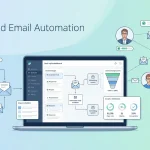
Email marketing automation refers to software that automatically sends targeted emails based on specific triggers or schedules. These systems use customer data and behavior to deliver relevant messages without manual intervention.
Think of it as having a personal assistant who knows exactly when to send birthday wishes, product recommendations, or follow-up messages. The automation handles the timing and personalization while you focus on creating great content.
Key Components of Automated Email Systems
Automated email marketing relies on several essential elements working together:
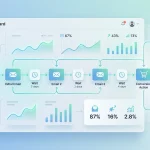
Triggers and Actions: These are the “if this, then that” rules that power automation. For example, if someone abandons their shopping cart, then send a reminder email.
Customer Segmentation: This involves grouping subscribers based on demographics, behavior, or preferences. Different segments receive different automated sequences.
Email Templates: Pre-designed email formats that automatically populate with customer-specific information and content.
Analytics and Tracking: Systems that monitor open rates, click-through rates, and conversions to measure campaign effectiveness.
Common Types of Email Marketing Automation
Welcome Series
Welcome emails introduce new subscribers to your brand. These automated sequences typically include:
- A warm greeting and brand introduction
- Information about what subscribers can expect
- Links to popular content or products
- Special offers for new customers
Welcome series often achieve higher open rates than regular newsletters because recipients actively choose to hear from you.
Abandoned Cart Recovery
Shopping cart abandonment affects most online retailers. Automated cart recovery emails remind customers about items they left behind and encourage them to complete their purchase.
These emails work best when sent within a few hours of abandonment, while the products are still fresh in the customer’s mind.
Birthday and Anniversary Campaigns
Celebration emails create positive associations with your brand. They can include:
- Personalized birthday wishes with special discounts
- Anniversary messages celebrating the customer relationship
- Milestone acknowledgments like “Your first year with us.”
These automated messages feel personal and help build emotional connections with customers.
Re-engagement Campaigns
When subscribers become inactive, automated re-engagement emails can win them back. These campaigns might offer special deals, highlight new products, or simply ask if they want to continue receiving emails.
Benefits of Email Marketing Automation
Improved Efficiency
Automation eliminates repetitive manual tasks. Once set up, your email campaigns run independently, freeing up time for strategy and creative work.
Small businesses especially benefit from this efficiency. A single person can manage complex email campaigns that would otherwise require a full team.
Enhanced Personalization
Automated systems can personalize emails based on customer data like purchase history, browsing behavior, or demographic information. This level of customization would be impossible to achieve manually at scale.
Personalized emails generate higher engagement rates and stronger customer relationships.
Better Timing
Automation ensures emails reach customers at optimal moments. Instead of sending generic newsletters on arbitrary schedules, you can respond to customer actions in real-time.
This timely communication increases relevance and improves response rates.
Consistent Communication
Automated systems maintain regular contact with customers without gaps or overwhelming frequency. This consistency builds trust and keeps your brand top-of-mind.
Getting Started with Email Marketing Automation
Choose the Right Platform
Select an email automation platform that fits your needs and budget. Popular options include:
- Mailchimp: User-friendly with strong automation features
- Klaviyo: Excellent for e-commerce businesses
- ConvertKit: Designed for creators and small businesses
- HubSpot: Comprehensive marketing automation suite
Consider factors like ease of use, integration capabilities, and pricing when making your choice.
Define Your Goals
Clear objectives guide your automation strategy. Common goals include:
- Increasing sales through targeted product recommendations
- Improving customer retention with engagement campaigns
- Growing your email list through lead magnets
- Enhancing customer onboarding experiences
Segment Your Audience
Effective automation starts with proper segmentation. Group subscribers based on:
- Purchase behavior and history
- Geographic location
- Engagement levels
- Demographics like age or gender
- Interests and preferences
More targeted segments lead to more relevant automated messages.
Create Compelling Content
Your automated emails still need engaging content. Focus on:
- Clear, benefit-focused subject lines
- Concise, scannable email copy
- Strong calls-to-action
- Mobile-friendly design
- Consistent brand voice
Lead Nurturing Through Automated Workflows
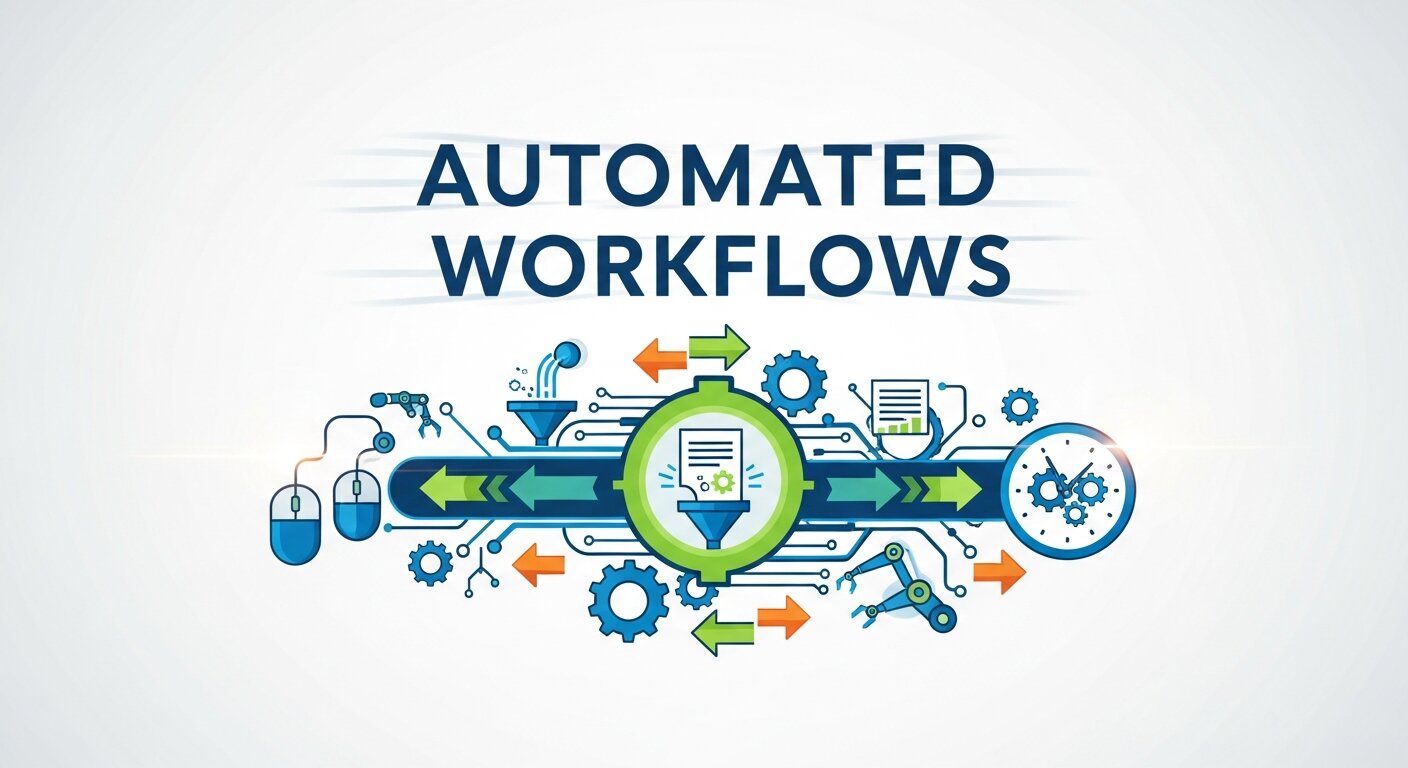
Email automation is especially powerful for nurturing leads over time. Instead of sending random promotional emails, businesses can design structured sequences that educate, inform, and gradually build trust. For example, a prospect who downloads a guide can automatically receive a follow-up series explaining key benefits, case studies, and testimonials. This approach works particularly well in B2B Email Marketing, where decision-making cycles are longer and require multiple touchpoints. Automated nurturing ensures that leads receive consistent value without overwhelming sales teams. Over time, this steady communication builds credibility, strengthens relationships, and increases the likelihood of converting prospects into long-term customers.
Visual Branding and Email Design Automation

Design plays a crucial role in how automated emails are perceived. Professionally designed templates enhance credibility and encourage engagement. Many businesses use tools like Canva Do Email Marketing campaigns by creating branded visuals, banners, and email graphics that align with their identity. When these design elements are integrated into automated workflows, every email maintains a consistent look and feel. Strong visual branding improves recognition and builds trust with subscribers. Automation ensures that even triggered emails—such as confirmations or reminders—adhere to brand guidelines. By combining attractive design with intelligent automation, businesses can deliver polished, visually compelling emails at scale without increasing manual workload.
Compliance and Trust in Automated Campaigns

Trust is essential in email marketing, especially when automation increases message frequency. Businesses must ensure subscribers have given clear consent and understand how their data will be used. Transparency in communication reassures recipients that Email Marketing Legit practices are being followed. Including clear unsubscribe links, privacy policy references, and preference management options strengthens credibility. Automated systems should also comply with regulations such as GDPR or CAN-SPAM to avoid legal risks. Maintaining ethical standards not only protects your brand but also enhances engagement. When subscribers trust your emails, they are more likely to open, read, and respond positively to your automated campaigns.
Customer Lifecycle Automation

Automation allows businesses to map emails to every stage of the customer lifecycle. From onboarding new subscribers to encouraging repeat purchases, each stage can have a tailored workflow. New customers may receive educational content, while loyal buyers might get exclusive offers or early product access. Lifecycle automation ensures that communication evolves alongside the customer relationship. This prevents irrelevant messaging and keeps engagement levels high. By aligning content with where customers are in their journey, businesses create smoother experiences. Over time, this structured approach increases retention, strengthens loyalty, and maximizes customer lifetime value without requiring constant manual oversight.
Cross-Selling and Upselling Strategies
Automated emails are highly effective for increasing average order value. After a customer makes a purchase, automation can trigger product recommendations based on buying behavior. For instance, someone who buys a laptop may receive suggestions for accessories or warranties. These targeted follow-ups feel helpful rather than pushy because they are context-driven. Timing plays a key role—sending recommendations shortly after purchase keeps interest high. By using purchase data strategically, businesses can introduce complementary products and services in a natural way. Cross-selling and upselling through automation not only boost revenue but also enhance customer satisfaction by offering relevant solutions.
Behavioral Tracking for Smarter Campaigns
Automation becomes more powerful when combined with behavioral tracking. Monitoring actions such as website visits, link clicks, and content downloads provides insight into subscriber interests. These behaviors can trigger highly relevant follow-up emails that match user intent. For example, if a subscriber repeatedly views a pricing page, the system can send a comparison guide or offer a consultation. Behavioral data removes guesswork and allows communication to feel personalized and timely. This strategic use of insights ensures emails are not only automated but also intelligent. As a result, engagement rates improve, and marketing efforts become more efficient and targeted.
Reducing Sales Cycle Friction
Automated emails help remove obstacles in the buying process. Prospects often hesitate due to unanswered questions, uncertainty, or lack of information. Automation can address these concerns by delivering FAQs, testimonials, and detailed product explanations at strategic moments. Reminder emails can encourage demo bookings or consultation scheduling without direct sales pressure. By proactively answering common objections, businesses reduce friction in the decision-making process. This streamlined communication accelerates conversions while maintaining a helpful tone. When automation supports prospects with timely, relevant information, the overall sales experience becomes smoother and more customer-friendly.
Continuous Improvement Through Data Insights
Email automation should evolve based on measurable performance insights. Reviewing engagement metrics helps identify which workflows drive the most value. Open rates, click-through rates, and conversions reveal where improvements are needed. Testing subject lines, content variations, and send times within automated sequences leads to stronger results over time. Continuous optimization ensures that campaigns remain aligned with audience preferences. Rather than setting workflows once and forgetting them, businesses should treat automation as an evolving strategy. Regular analysis and refinement transform automated emails into a dynamic growth engine that consistently supports marketing and sales objectives.
Best Practices for Email Marketing Automation
Start Simple
Begin with basic automation like welcome emails or abandoned cart reminders. As you gain experience, you can create more complex sequences.
Test and Optimize
Regularly test different subject lines, send times, and content formats. Use A/B testing to identify what resonates with your audience.
Monitor Performance
Track key metrics like open rates, click-through rates, and conversion rates. This data helps you refine your automation strategies.
Respect Subscriber Preferences
Always include unsubscribe options and honor opt-out requests promptly. Respect frequency preferences to avoid overwhelming subscribers.
Keep Content Fresh
Regularly update your automated email templates to prevent them from becoming stale. Seasonal updates and new product information keep messages relevant.
Measuring Success
Key Metrics to Track
Monitor these important metrics to gauge automation effectiveness:
- Open rates: Percentage of recipients who open your emails
- Click-through rates: Percentage who click links in your emails
- Conversion rates: Percentage who take desired actions
- Unsubscribe rates: Percentage who opt out
- Revenue per email: Average income generated per message
Setting Benchmarks
Establish baseline metrics for your industry and company size. This helps you set realistic goals and measure improvement over time.
Transform Your Email Marketing Today
Email marketing automation offers tremendous opportunities to connect with customers more effectively while saving time and resources. By implementing automated campaigns, you can deliver personalized experiences that drive engagement and sales.
Start with simple automation like a welcome series or abandoned cart emails. As you gain confidence, expand into more sophisticated campaigns that nurture leads and retain customers.
The key to success lies in understanding your audience, creating valuable content, and continuously optimizing based on performance data. With the right approach, email marketing automation becomes a powerful tool for growing your business.
FAQ – Email Marketing Automation
1. What is email marketing automation?
Email marketing automation is the use of software to send emails automatically based on user behavior, triggers, or pre-set schedules. It allows businesses to deliver personalized and timely messages without manual effort.
2. How does email automation work?
Automation works through triggers and workflows. For example, when someone signs up for a newsletter, the system automatically sends a welcome email sequence. These workflows operate on “if this, then that” logic.
3. What are examples of automated email campaigns?
Common examples include welcome series, abandoned cart reminders, birthday emails, re-engagement campaigns, and post-purchase follow-ups.
4. Is email marketing automation only for large businesses?
No. Small businesses benefit greatly from automation because it saves time, improves efficiency, and allows one person to manage sophisticated campaigns.
5. Does automation reduce personalization?
Not at all. Automation actually enhances personalization by using customer data like purchase history, browsing behavior, and preferences to tailor each message.
6. What tools can I use for email marketing automation?
Popular platforms include Mailchimp, Klaviyo, ConvertKit, and HubSpot. The best choice depends on your business size, goals, and budget.
7. How do I measure the success of automated emails?
Track key metrics such as open rates, click-through rates, conversion rates, unsubscribe rates, and revenue per email to evaluate performance.
8. How do I get started with email automation?
Begin with simple workflows like a welcome email or abandoned cart sequence. Define clear goals, segment your audience, create engaging content, and optimize based on performance data.








No Comments